
iPhone-first
Offline-friendly
Strong import
Fast logging. Strong progress.
Track every hard session without the clutter.
QuickLift is a premium local training log built for lifters who want speed, clarity, and control. Start fast, log sets with minimal friction, reuse structured templates, and keep your history readable without social noise or bloated workflow detours.
Switching from Strong?
QuickLift already supports local Strong CSV import with preview, duplicate protection, and custom-exercise fallback.
Fast set logging
Template-based training
Progress charts and PR context
Strong CSV import
Widgets and Live Activity
Backup, restore, and export
Local-first trust
Product
Built for the middle of a workout, not for a social feed.
The product story is strongest when it stays disciplined: faster session start, cleaner logging, reusable structure, and progression insight that actually helps you train better.
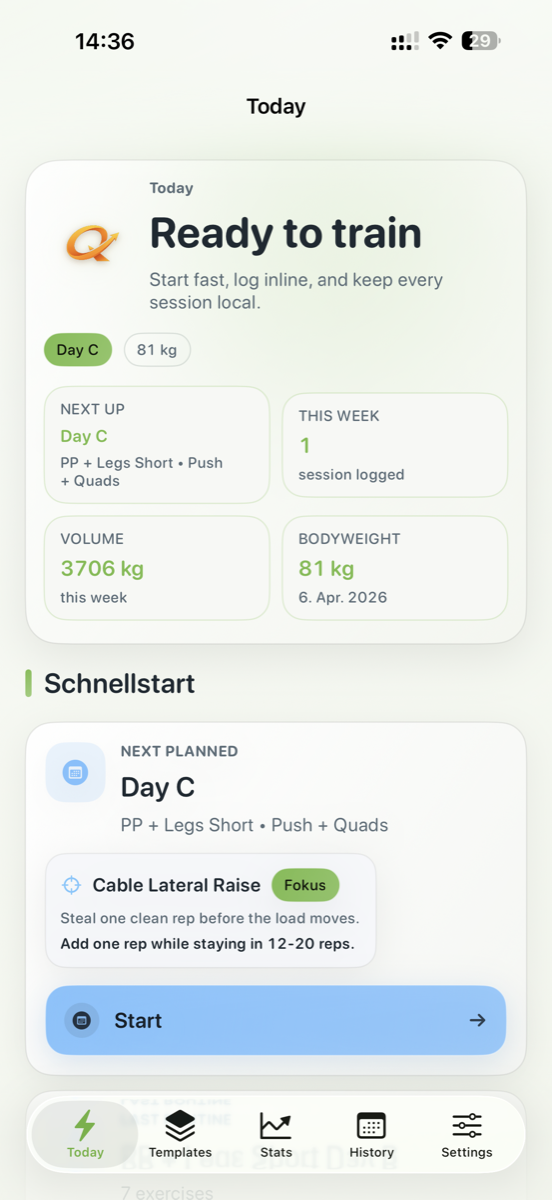
Today
Open the app and know what to do next.
Quick start actions, next planned training, bodyweight, recent sessions, and focus context make the home surface feel useful before the first tap.
Templates
Programs stay structured and easy to reuse.
Split days, versioned routine editing, folders, and starter flows keep serious training plans tidy.
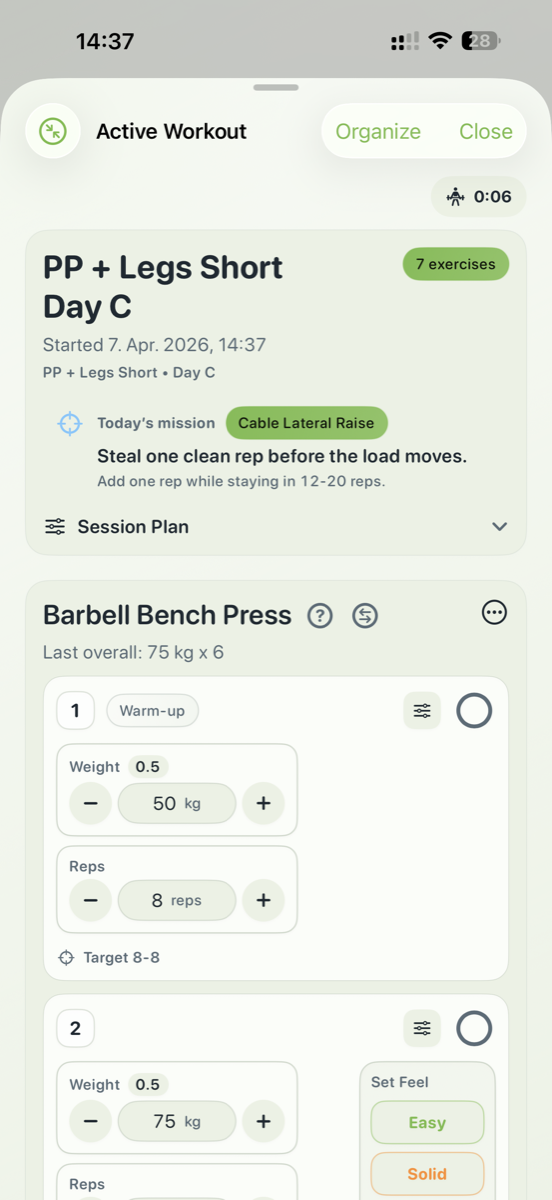
Active workout
Logging stays readable under fatigue.
Previous performance, set tags, progression cues, and in-line edits support pace without visual overload.
Progress and history
See what is improving without leaving the training mindset.
Weekly volume, frequency, estimated 1RM, body metrics, and workout history turn the app into a real training record, not just a stopwatch with notes.
Flow
A landing page that sells the actual product loop.
Instead of trying to market every advanced setting equally, the page now leads with the journey that matters most: start, log, review, and keep control of your training data.
Serious lifters buy clarity.
The strongest positioning is not "more features than everyone else." It is a sharper promise: a fast, trustworthy, premium training tool that respects focus.
- No account wall in the core story
- No community clutter in the core pitch
- No vague wellness language where precision should win
Start in seconds
Launch into the next planned day, last routine, or an empty workout with a clear first action.
Log with momentum
Weight, reps, notes, tags, and previous values stay close to the thumb zone where real sessions happen.
Review useful signal
PRs, volume, body metrics, and exercise trends keep progression practical instead of decorative.
Keep ownership
Import, export, backup, and restore tools reinforce the product promise that your data remains yours.
Screens
Real product screens, framed like a launch-ready story.
The screenshots are not treated like a gallery dump. They are staged to explain exactly what the app does well and why the UI feels premium.
Confidence before your workout starts.
The home experience focuses on the next action, current training context, and a clean sense of momentum.
Easy to move in, easy to keep.
Strong CSV import, snapshot validation, backup, restore, and export make the app feel safer to commit to long term.
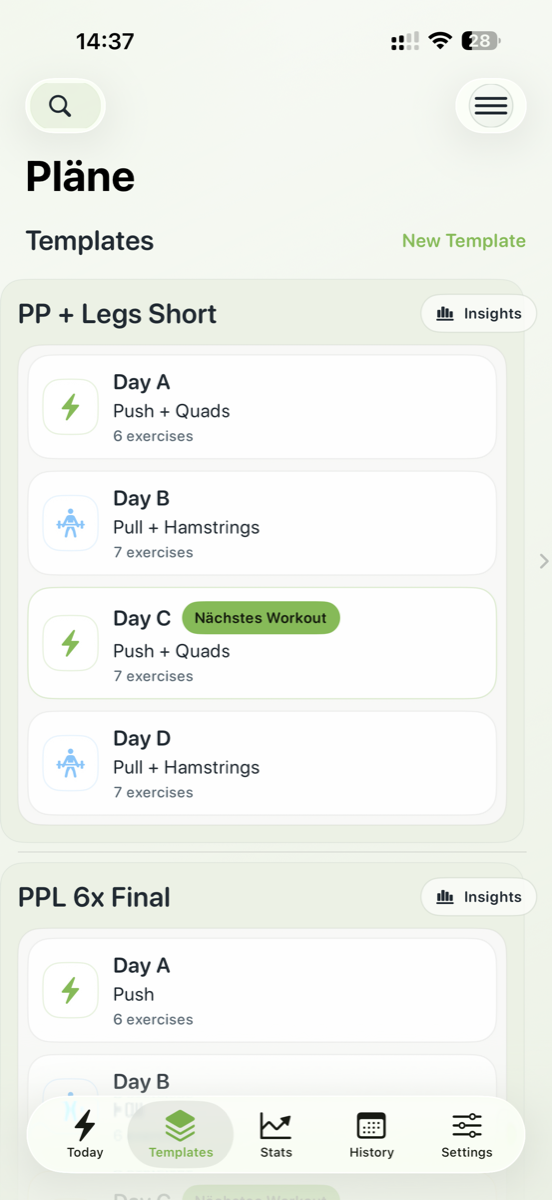
Structure that stays clean and reusable.
Routine organization, day views, and planning surfaces support serious training without turning the app into admin work.
Logging-first design, not decorative complexity.
Active workout screens keep the primary task obvious while still showing progress context, pacing, and editing controls.
TestFlight
Want early access? Join the QLFT beta.
TestFlight access is managed directly. Send a short email with your Apple ID address so an invite can be sent quickly.
Beta access
Request your invite.
Submit your Apple ID email and your mail app will open with a ready-to-send TestFlight request.
Feedback
Report issues fast.
Send screenshots, device details, and a short description to speed up fixes and improvements.
Support
Get direct help.
For support requests, legal details, or privacy questions, use the dedicated support and legal pages.
Positioning
QuickLift wins when it feels premium, precise, and trustworthy.
The refreshed page leans into a cleaner editorial look, stronger hierarchy, and clearer product claims. That makes the site feel less like a placeholder and more like launch material built for serious users.
- Premium light visual language that stands out in fitness
- Product messaging centered on speed, structure, and privacy
- Direct beta onboarding and legal pages for real release use

Launch support
Support, privacy policy, and Impressum are live.
The site now combines the modern marketing layout with practical release pages for TestFlight, support, privacy, and legal compliance.